
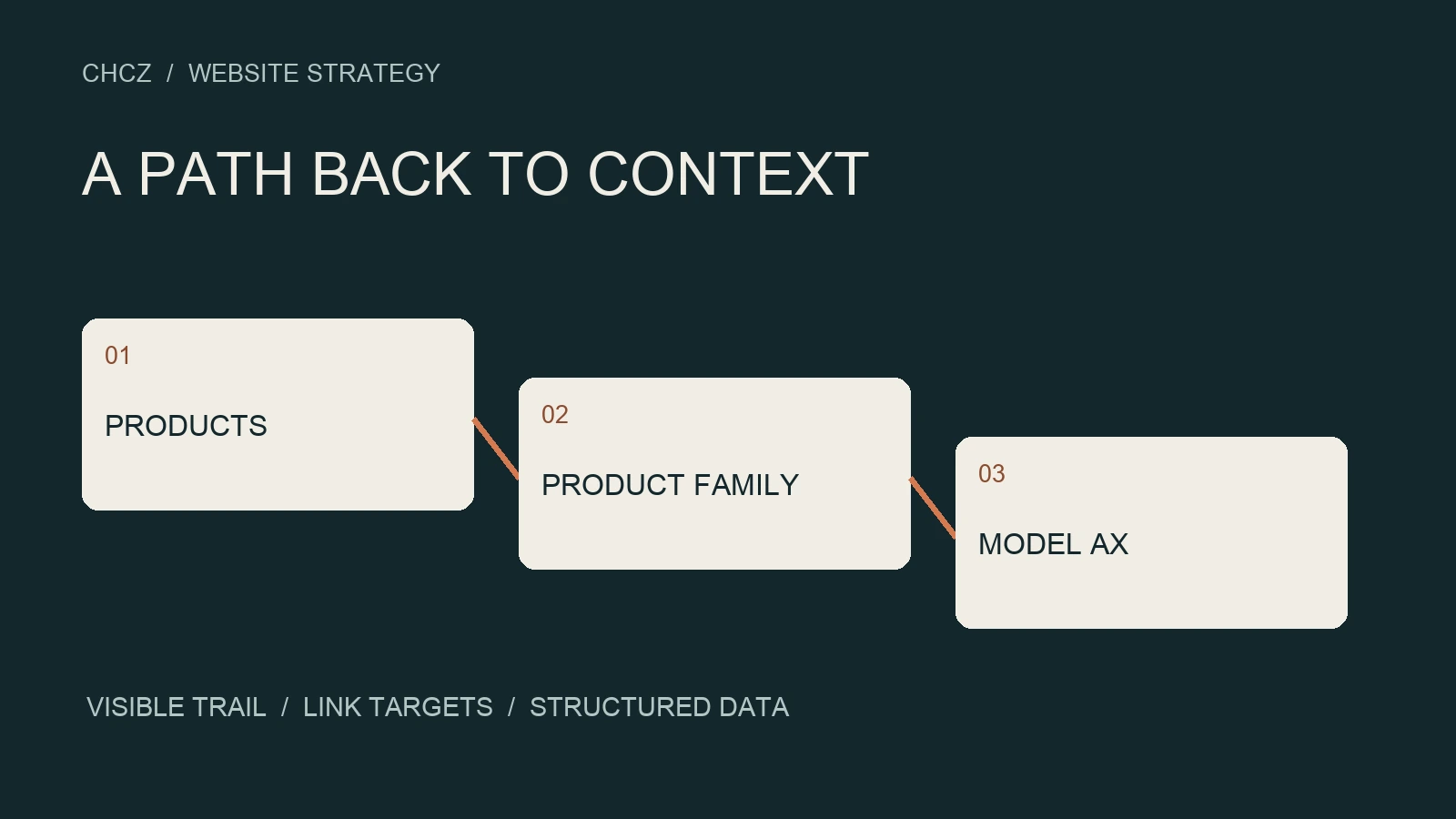
Breadcrumb navigation shows where a page sits in a website and gives visitors a route to its parent sections. For a B2B catalog, start with a useful product-family path, keep the destination stable when a product belongs to several categories, and test the visible links alongside the structured data. A buyer arriving directly on a model page should be able to find the surrounding range without reconstructing the whole menu.
This guide covers the breadcrumb component: choosing parents, handling multiple routes, writing labels and verifying a release. Use the B2B website navigation worksheet for the broader menu and category research.
Decide whether a breadcrumb helps the buyer task
A deep product page can answer a detailed specification question while leaving its place in the catalog unclear. A trail such as Products → Transfer pumps → Model AX can offer a route back to the family where related models are explained. Someone entering through a shared link can use that route without having visited the homepage.
W3C WAI describes breadcrumbs as a way to understand website structure, particularly on sites with several navigation levels. They work alongside the main menu, contextual links and site search. A shallow campaign page may have little useful hierarchy to expose; adding a decorative trail there creates another component to maintain.
Write the task before designing the separator: “From this model, find its product family and compare the available siblings.” Check that the proposed family page actually supports that task. A clickable category with an empty introduction or unrelated listings is a content problem that a breadcrumb cannot resolve.
Separate hierarchy, browsing history and filters
Choose what the component represents. A location trail describes the current page’s place in the content structure. A history control returns to previous browsing steps. Active filters describe a selected catalog state. Each can be useful, but merging them produces ambiguous expectations.
- Location: Products → Transfer pumps → Model AX. The family remains meaningful for a direct visitor.
- History: Back to your results. Its destination depends on a previous search or saved state.
- Filters: Material: stainless steel; Drive: electric. These controls change a result set.
These labels and models are hypothetical. Do not use this sample to imply an actual product specification. If a “back to results” function is offered, label it separately and define what happens when there is no previous result state. A breadcrumb should still make sense after opening the product URL in a fresh browser session.
Keep filter URL decisions in the faceted navigation SEO plan. The breadcrumb’s parent link should lead to an intentional resource, rather than inherit every transient query parameter from the arrival route.
Choose parents for products in several categories
A product might be relevant to a product family and an application area. That creates a taxonomy decision before it creates a styling decision. List each legitimate parent, the buyer question it answers and the destination URL. Confirm that the proposed routes really exist.
Our recommended starting policy is one stable, editorially selected primary trail for each product template. This makes direct entry, language review and template testing easier to repeat. Choose the parent that best explains the product’s place in the catalog, and retain application links where they help visitors evaluate suitability. This is a publishing policy to test, not a Google requirement that every page have only one trail.
Google supports multiple breadcrumb trails for a page. Its guidance also recommends a typical user path instead of mechanically copying URL folders. If several trails are useful, document each coherent hierarchy and keep their marked-up labels and destinations consistent with what visitors can understand on the page.
Several routes to a product do not by themselves require several product pages. For the hypothetical Model AX, a product-family route and an application route can both reach the same product URL. Creating near-identical model pages just to make a different trail introduces a separate content-ownership problem. Agree on the product owner before changing routing or canonical settings.
Write a route record before implementation
Use one record per template and representative page. Record the current URL, parent labels, exact parent destinations, language, alternative paths, owner and reason for the selected trail. This keeps the hierarchy review concrete.
- Page: the canonical product URL and its visible model heading.
- Trail: the ordered labels shown above the product content.
- Destinations: the final public URL of every linked parent.
- Alternate membership: where an application page links to the same product, with an explanation of its role.
- Fallback: what a direct visitor sees when there is no saved browsing state.
- Ownership: who updates the route when a family is renamed, merged or retired.
For example, an imagined catalog could choose Products → Transfer pumps → Model AX as its primary trail, with a separate link to an application guide. A flat model URL can still display that meaningful hierarchy. Conversely, a deeply nested URL does not establish that all its folders are useful pages.
Use concise destination names. Avoid repeating a long promotional product title at every level, but retain enough detail to distinguish neighboring families. When a parent changes, review the destination’s content and incoming links together. The internal linking audit provides the wider source-to-target inventory.
Make the visible component understandable
The WAI-ARIA breadcrumb pattern places the trail in a labeled navigation landmark. When the current-page item is a link, it uses aria-current="page"; for a current item rendered as plain text, that attribute is optional. Native links should behave as links, with visible focus and useful destination text.
Keep separators decorative for assistive technology rather than adding distracting spoken punctuation between every item. The current page should be distinguishable from the linked parents. Review the component in context with the global navigation, page heading and language selector so visitors can understand each part’s role.
On narrow screens, preserve a usable route to the immediate parent. Wrapping a short trail can be appropriate. Collapsing ancestors behind a control requires clear labeling, keyboard operation and an explicit expanded state. Simply clipping the trail can hide the one link needed for the task. Test long translated labels and zoom as well as a short English example.
Translate destinations as carefully as labels. A Chinese parent label pointing to an English category is a different route from a fully localized catalog. Document an intentional language fallback where a localized resource is unavailable; do not manufacture a link to an unpublished counterpart.
Verify structured data and search-display boundaries
Check the visible trail, final linked URLs and generated BreadcrumbList together. Inspect each item’s position, name and destination, and look for competing output from the theme and SEO plugin. A syntax-valid script can still describe a hierarchy the visible page does not support.
Google’s current documentation limits breadcrumb search appearance to desktop. Its mobile search display announcement explains that mobile results show the domain without the breadcrumb path. That change concerns search results; a website’s own breadcrumb can still help a phone visitor navigate the catalog.
Use the Rich Results Test for Google-supported markup and inspect how the live page is fetched when access is available. Record those results separately from a local JSON parse. Successful markup validation establishes that check, while actual search display and indexing need their own observation.
Run the same acceptance task before and after release
Start from an ordinary product URL in a fresh session. Repeat on desktop and a real browser viewport of 390 pixels, with the template’s longest plausible labels. Record the page, language, viewport, input method, selected parent and actual destination.
- Can the visitor identify the current product and its immediate family?
- Does each parent open the intended public page with useful related content?
- Does direct entry produce a coherent trail without a previous search?
- Are the links reachable by keyboard, with visible focus and no obstructing overlay?
- Does the narrow layout keep the parent link readable and operable without page-wide overflow?
- Do labels, language, visible hierarchy and structured-data destinations agree?
- After a rename or category change, do the trail and related product links still lead to the intended resources?
Retain the previous route record and template version so a defective change can be reversed. If a product-family destination is being removed, resolve its replacement before changing the shared component. Use the B2B usability testing guide to turn the route into a buyer task, and the product-page worksheet to check what the destination must answer.
Frequently asked questions
A product has several category parents. Should its breadcrumb change with every arrival route?
Use a documented rule. A stable primary trail is a useful starting policy for direct entry; several meaningful hierarchies can also be supported. If the interface preserves the visitor’s previous results, label that return route separately. Do not make a location trail depend on browsing history that a direct visitor does not have.
Does a flat product URL require a flat breadcrumb?
No. Choose a hierarchy that represents a useful route to the product, even when its URL has no matching folders. Each linked parent should be a real, useful destination. Changing the URL solely to imitate the breadcrumb creates a separate migration decision.
If Google omits breadcrumbs from mobile results, should the website hide them on phones?
No. Search-result presentation and navigation on the website serve different tasks. Keep an operable route to the immediate parent when it helps a catalog visitor. Test long labels and narrow layouts instead of treating Google’s mobile search display as a rule for the site’s interface.
If the parent category is renamed, which checks come first?
Confirm that the category still answers the same buyer task and that its destination is correct. Then update the visible label and review structured-data output and localized routes together. If the category’s purpose has changed, settle the hierarchy before treating the work as a simple text edit.
Start with one representative catalog path
Choose a deep-entry product, identify the family a visitor should be able to reach, and write its route record. Test that path before applying the policy across the catalog. Explore the B2B Website Strategy cluster for adjacent decisions, or bring the route record and unresolved questions to CHCZ.
Source note: Sources were checked on 27 November 2026. W3C WAI’s Multiple Ways tutorial and Breadcrumb Pattern support the guidance on hierarchical orientation, navigation landmarks and current-page semantics. Google Search Central’s breadcrumb documentation and mobile search display announcement explain structured-data requirements, multiple trails and the desktop search-display boundary. The primary-path policy, route record and release checklist are CHCZ practical recommendations derived from these sources.