
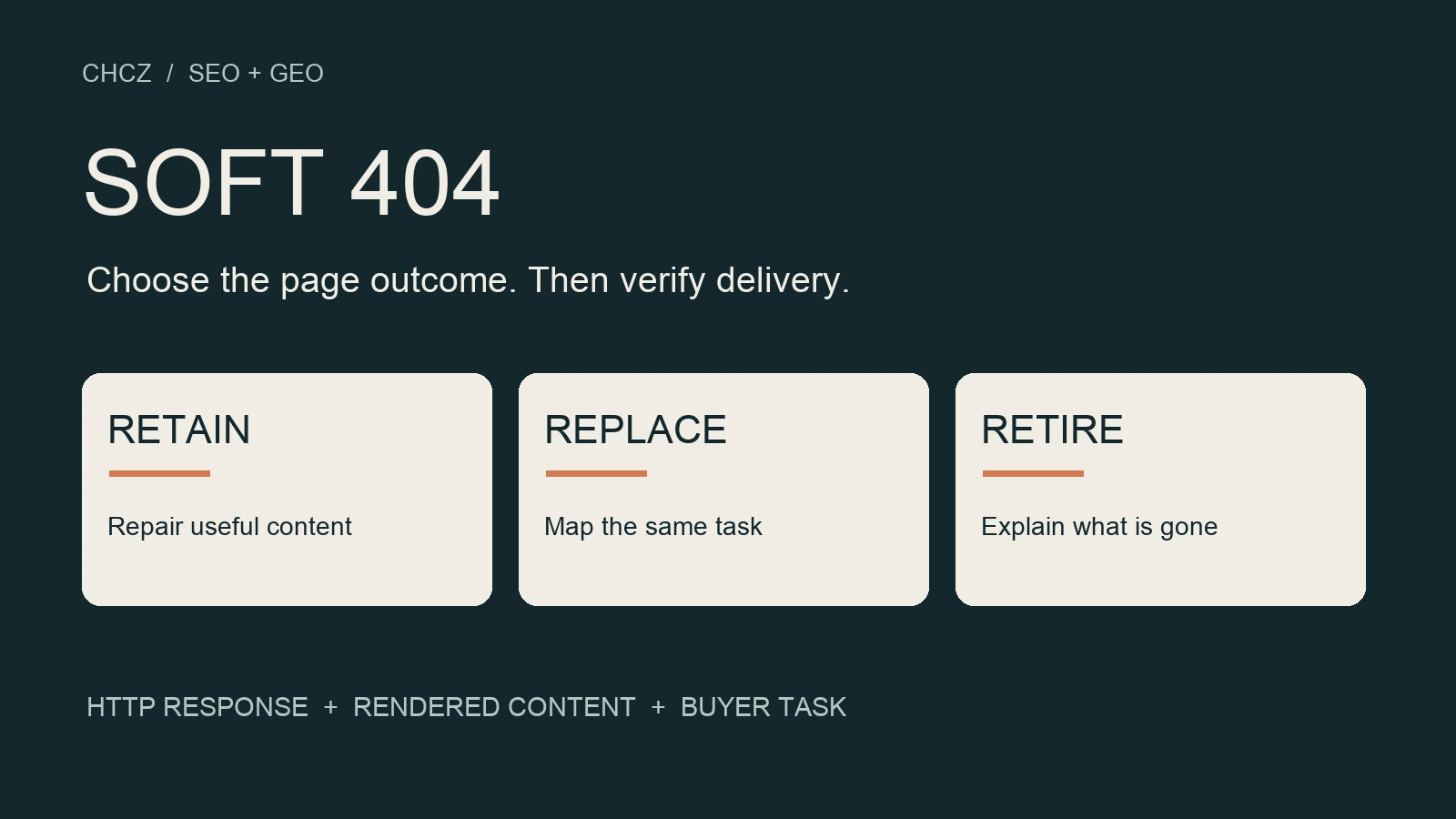
A soft 404 is a mismatch between a successful HTTP response and a page that looks missing, empty or broken. When Search Console reports one, first decide what the URL should do for a visitor: retain useful content, lead to a genuine replacement, or explain that the resource has gone. Then test the response and the rendered page together.
For a B2B website, this decision often involves an obsolete model, an empty product category or a technical resource that stopped loading. A discontinued product can still have a useful documentation task. An active product can be inaccessible behind a broken template. Treat the report as a prompt to investigate a URL, rather than an instruction to delete it.
Start with the buyer’s unfinished task
Before changing a status code, ask the product or content owner why someone would open this address. They might need a drawing for installed equipment, a compatibility note, a current specification or a replacement model. Write down the task in one sentence and name the person who can confirm whether the information remains accurate.
Separate commercial availability from documentation value. A model may no longer be sold while its approved maintenance instructions remain useful. In that situation, evaluate whether the page can clearly identify the model, explain its status and provide the relevant material. Do not automatically redirect it to a generic product category just because the sales team no longer quotes it.
Also distinguish a permanent retirement from a publishing accident. Ask whether the CMS record was deliberately removed, whether its replacement was approved and whether a catalog integration has failed. An unplanned blank page needs a different investigation from an intentionally withdrawn resource.
Record what was reported and what exists now
Copy the exact URL from Search Console, including parameters. Record the report date and last crawl information when available. Open that same address directly, without relying on a logged-in CMS preview. Note the final address, what the main content shows and whether a reader can complete the intended task.
Google’s soft 404 troubleshooting guidance describes successful responses paired with missing or error-like content. Its remedies depend on whether content is gone, moved or still present. Use that distinction to select an investigation branch.
Create one record per URL with the following fields. Keep an observation separate from the proposed fix so another reviewer can follow the reasoning.
- Identity: reported URL, language, template, product or resource identifier.
- Business purpose: visitor task, current availability and approved content owner.
- Observed delivery: HTTP response, redirect destination, main content and failed resources.
- Google evidence: indexed inspection, last crawl date and separately dated live test.
- Decision: retain and repair, map to replacement, or retire; include the reason and approver.
- Acceptance: expected response, expected visible information, test date and follow-up owner.
Choose the disposition before choosing the implementation
Retain a useful page and repair its delivery
If the resource still serves a valid task, compare its expected content with the actual output. Does the product heading load while the specification panel stays empty? Does the English version work while the translated version shows a missing record? Does a fresh visitor receive an error that a logged-in editor cannot reproduce?
Give the developer the smallest reproducible example: exact address, device, session conditions, expected section and observed failure. Include a working page using the same template for comparison. Identify whether the failure affects one record, one language or a whole template before scheduling changes across the site.
A page that says only “No products found” needs an editorial decision as well as a technical check. Confirm whether there should be products in that category. If an integration lost valid records, restore the records. If the category has permanently ceased to exist, choose its intended outcome. Adding generic paragraphs to an empty listing leaves the underlying buyer task unresolved.
Move the visitor to a genuine replacement
When information has moved, document an explicit old-to-new mapping. Review the destination from the visitor’s perspective: can it answer the question implied by the old page? A similar product name alone is insufficient. Compare model identity, application, specification scope and document revision where relevant.
For a large change, use the existing B2B SEO migration checklist to manage the broader inventory and launch dependencies. This diagnostic record handles the individual reported URL; the migration plan owns the full change.
Record any material difference between an old item and its proposed successor. If an engineer must assess compatibility, keep that decision with the product owner. A redirect should not silently imply that two technical products are interchangeable.
Retire a resource that no longer has a useful destination
Where the resource is permanently gone and there is no suitable replacement, provide a useful missing-page experience. Keep recognizable navigation and offer relevant routes a reader can choose. The server response and the message should agree about the missing resource.
The Google HTTP status reference explains the distinction between successful, redirect, client-error and server-error responses. A 200 response alone does not establish index eligibility. For permanent removal, the relevant missing-resource responses are 404 or 410; for an appropriate permanent move, review 301 or 308 with the implementer.
Do not make the homepage the default destination for unrelated retired items. A reader opening an old specification link needs to understand what happened to that specification. A general landing page can obscure that decision, even when its own content loads correctly.
Inspect the rendered content, not just the response
A developer can check the ordinary GET response and redirect path, while a content reviewer checks the visible main content. Use both observations. A status-code monitor can report success while the page displays an error panel or a navigation shell.
Open the affected page on mobile and desktop. Check the title, model identifier, meaningful description, documents and next step. For a catalog, verify that expected records appear after normal loading. Follow one important document or product link and confirm that its destination belongs to the same item.
In Search Console, compare indexed inspection with a live test. The URL Inspection documentation explains that these answer different questions: the stored result describes Google’s indexed information; the live test evaluates the current fetch. Examine available rendered output, resource failures and response information. Index inclusion remains a separate outcome, and Google’s selected canonical is available in the indexed inspection rather than predicted by a live test.
If the failure appears only under particular conditions, record them rather than repeatedly testing until a successful screenshot appears. Preserve both the failed example and the working control. That comparison makes an intermittent data or resource problem easier to investigate.
Work through a hypothetical discontinued-model example
Suppose a fictional industrial catalog retires model AX-10. Its URL returns 200, but the page contains only “Product unavailable.” A support team still maintains an approved drawing for installed units. The proposed successor has a different mounting pattern.
The owner should first decide whether AX-10 needs a maintained reference page. A useful retained page could identify the discontinued model, describe its status and link to the correct approved drawing. A route to current products can be offered separately, with compatibility wording reviewed by the responsible specialist.
If the drawing has moved to a dedicated reference page that fully serves the same task, review a direct mapping to that page. If the company withdraws the resource entirely and has no equivalent destination, choose an honest missing-resource response. None of these decisions can be made from the model’s sales status alone.
Write the expected outcome before implementation: which URL opens, which model is identified, which document is reachable and which response is intended. The reviewer can then test a concrete result rather than approve a vague instruction to “fix SEO.”
Check the routes that created the problem
After the affected URL behaves as intended, inspect the paths that send people to it. Update important internal links to the maintained destination where appropriate. Check catalog cards, resource lists and language counterparts. Keep retired URLs out of lists intended to advertise current, indexable resources.
For empty filtered listings, use the faceted navigation SEO guide to decide which filter combinations deserve stable search entry pages. For results generated by the site’s own search tool, use the site search UX acceptance record. Those systems need their own inventory rules; one corrected URL does not validate every generated variation.
Check another page from the same template and one from a different template. This small comparison helps detect a rule that accidentally affects valid pages. For multilingual sites, test each language directly rather than assuming the English response applies to its translation.
Close the implementation and track search processing separately
Close the technical task only when the expected response, rendered content and important links have been checked. Retain the before-and-after record and the change needed to reverse an incorrect mapping. Name the person who will review a later crawl and the information they need to collect.
Track local repair, Google’s later processing and business performance as separate outcomes. A repaired page can be accessible before Search Console reflects a new crawl. A page appearing in the index does not establish that buyers found the correct document or sent a useful inquiry.
At follow-up, compare the latest crawl with the implementation date, then check the URL’s indexing state and relevant query-to-page data. If the report persists, return to the recorded evidence and inspect what Google received. Avoid making a new unrelated change simply to clear a dashboard label.
Frequently asked questions
Should a discontinued product page redirect if it still has useful manuals?
Not solely because sales have ended. First decide whether installed-product users still need a maintained reference page. Keep the model identity, availability status and correct documents clear. Redirect only when the proposed destination serves the old page’s task; treat successor-product suitability as a separate technical decision.
Is a working category page an adequate replacement for a missing model page?
Only if it actually resolves the task behind that model URL. Opening successfully is insufficient when the visitor needs a specific drawing or revision. If the category merely lists unrelated current products, retain a useful reference or choose an explicit missing-resource outcome instead of masking the gap.
The page works now, but Search Console still reports a soft 404. What should we check next?
Compare the report’s last crawl with the repair date and inspect what the current live test receives. An older indexed result can describe the previous page. If a later crawl still receives empty or error-like content, investigate that evidence; avoid making another unrelated change just to remove the report label.
Use the SEO / GEO Authority collection for adjacent diagnostic work. To discuss a specific page, contact CHCZ with the public URL, intended visitor task and observed failure. Keep confidential product files outside a public diagnostic example.
Source note: Sources were checked on 27 November 2026. Google Search Central’s crawling-error guidance supports the distinction between content that is missing, moved or still available. Google’s HTTP status reference explains response handling, while the URL Inspection documentation distinguishes indexed information from a live test. The buyer-task decision record, discontinued-model example and repair acceptance checklist are CHCZ practical recommendations derived from these sources.