Stop Deciphering Code—Start Seeing Your Website’s Health
For many professionals, conducting a website audit feels like deciphering a cryptic code. You often find yourself staring at endless spreadsheets and generic error reports, struggling to visualize exactly where a problem sits on a live page. Traditionally, solving this required expensive software or a steep technical learning curve.
What if you could put on a pair of “X-Ray glasses” and see your website’s health instantly for free?
CHCZ · Design Checker, the free visual SEO audit tool that is transforming how professionals approach web design inspection.
Why CHCZ Outperforms Traditional SEO Crawlers
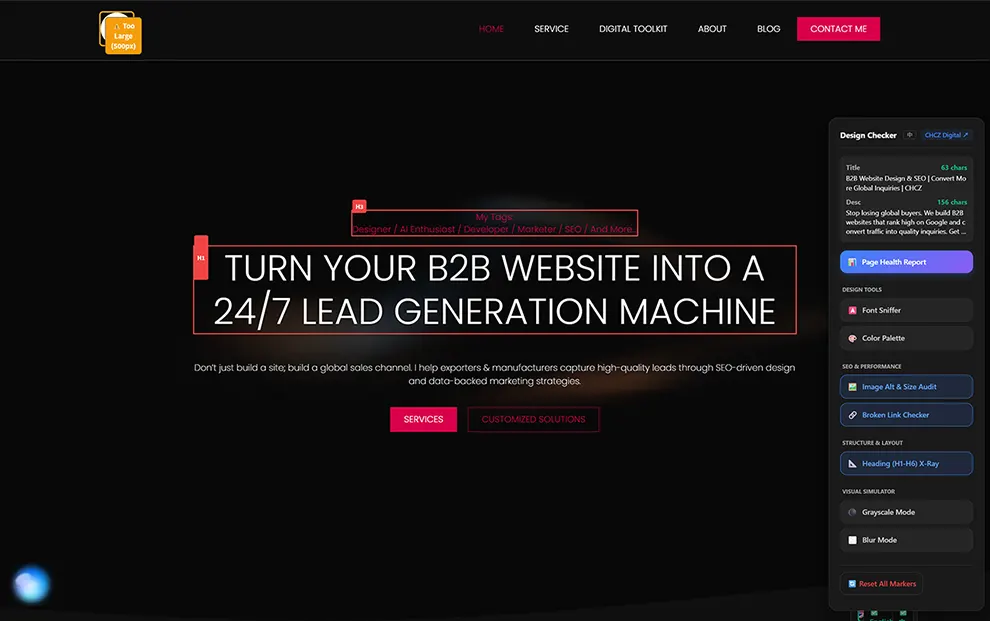
Traditional SEO tools provide a list of problems; CHCZ shows you the exact location. The core philosophy of this free Chrome extension for SEO is “What You See Is What You Get” (WYSIWYG), eliminating the need to hunt for element IDs or lines of code.
| Feature | Traditional SEO Tools | CHCZ · Design Checker |
|---|---|---|
| Error Feedback | Vague text warnings/CSV files | Red boxes drawn directly on live elements |
| Efficiency | Manual searching for broken elements | Instant “Cruise Navigation” to errors |
| Visibility | Misses content in sliders/accordions | Automatically opens folded tabs to find bugs |
| Design Check | Requires Dev Console/Inspect Element | One-click Font Sniffer & Color Palette |
Feature Deep Dive: Locate Errors in Seconds with “Cruise Navigation”
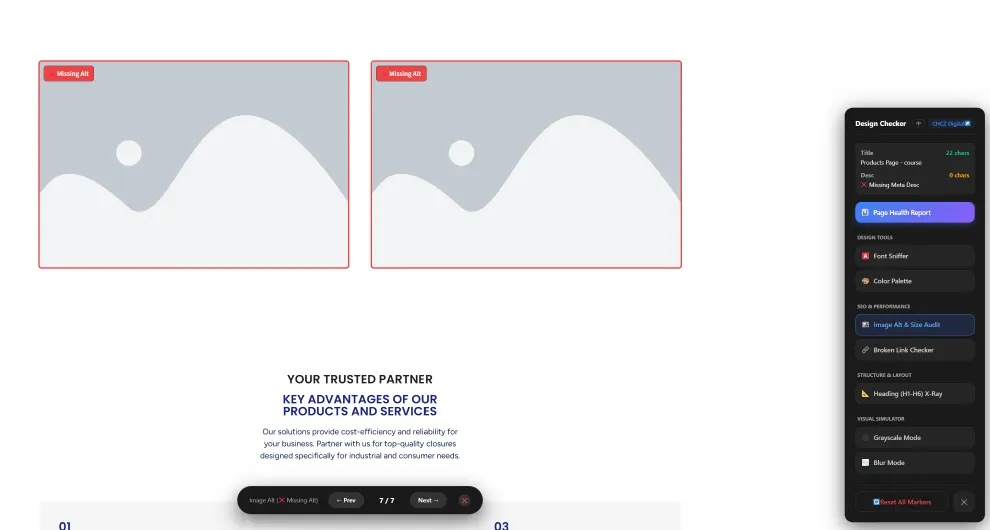
Finding an error is only half the battle; locating it on a long, complex homepage is where most time is wasted. CHCZ solves this “needle in a haystack” problem with its Cruise Navigation feature.
- Pinpoint Accuracy: When a report identifies an error, you simply click the item in the sidebar, and the screen automatically “cruises” to the exact location.
- Audit the Hidden: Unlike standard broken link checkers that miss hidden content, CHCZ automatically opens accordions, folded tabs, and sliders to reveal hidden bugs.
- Visual Status Marks: Compliant elements receive an orange mark, while failed elements are highlighted in red, allowing you to scan a landing page in seconds.
- Instant Image Diagnostics: Toggle a switch to instantly see which images are missing Alt text. You no longer need to run a paid crawl to identify image SEO gaps.
The Googlebot Perspective: Deep DOM Auditing
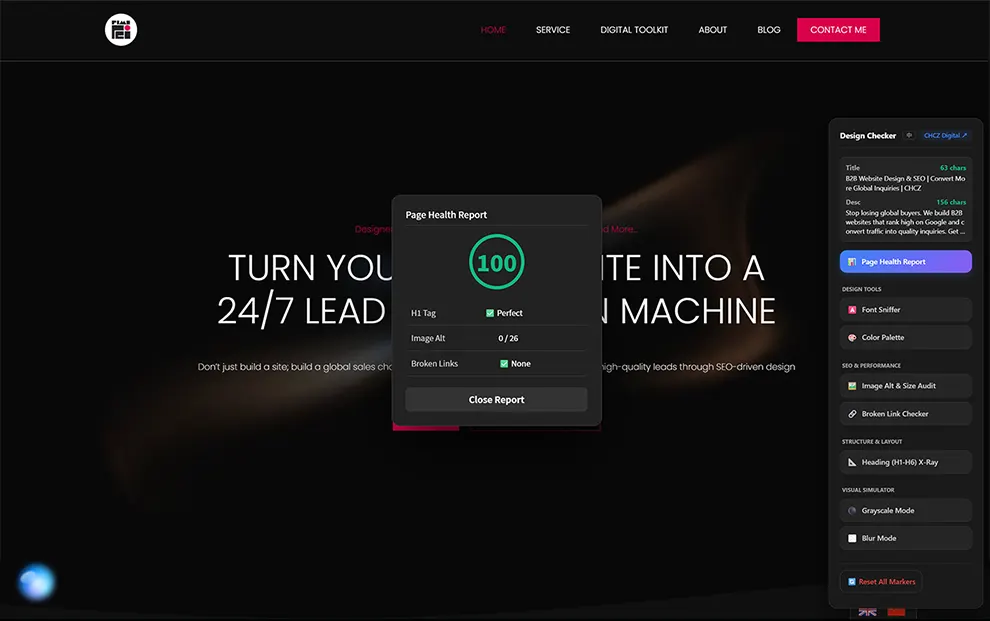
Search engines do not “see” a website the way humans do; they crawl the code. A common pitfall for developers is using properties like display: none to hide elements. While the page looks clean to a user, Googlebot still crawls that hidden code—including any broken links or heavy scripts inside.
CHCZ · Design Checker audits the entire DOM (Document Object Model), not just the visible surface. This allows it to flag “ghost” errors, such as empty tags or malformed HTML, ensuring your site is technically sound for search engine crawlers.
A Swiss Army Knife for Web Designers
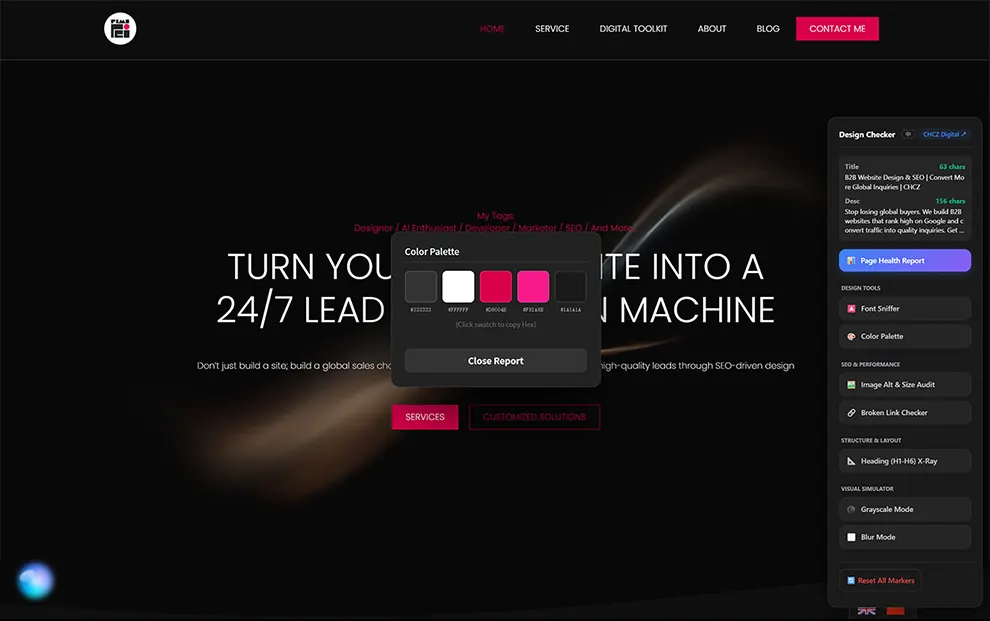
Great SEO and great User Experience (UX) go hand-in-hand. CHCZ provides a comprehensive toolkit for maintaining design consistency:
- The Font Sniffer: Instantly reveal the Font Family, Size, and Weight of any text to verify the live site matches your Figma or Adobe XD designs.
- Color Extraction: Automatically extract the top 5 dominant colors and their Hex codes for easy copying.
- Visual Simulators: Use Blur Mode to check if your Call-to-Action (CTA) buttons stand out, or Grayscale Mode to ensure your design is accessible to color-blind users.
Built by a Veteran, Made for Professionals
This isn’t a generic plugin from a faceless company. CHCZ · Design Checker was developed by a Project Operations Manager with over 9 years of industry experience.
After seeing professionals struggle to bridge the gap between technical data and visual design, this plugin was built as a passion project to help the community work smarter, not harder. It is completely free and fuses visual intuition with technical precision.
“Stop guessing and start seeing. It’s time to fix problems faster and rank higher.”
Ready to see your website through X-Ray vision?
Join professionals using the Free Visual SEO Audit tool to pinpoint errors, fix broken links, and audit the full DOM in seconds.
DOWNLOAD FOR FREE FROM CHROME WEB STOREFrequently Asked Questions
Is CHCZ · Design Checker really 100% free?
Yes! The developer created this tool based on a personal need to help the community. You get full access to all premium features, including Cruise Navigation, Font Sniffing, and Deep DOM audits, without any hidden subscriptions or paywalls.
Does this tool work on Single Page Applications (SPAs) or dynamic websites?
Absolutely. Because the Design Checker audits the DOM (the actual code structure) rather than just the static HTML, it works effectively on dynamic sites built with React, Vue, or Angular, catching errors that other tools might miss.
Do you recommend any other tools for digital marketing?
Absolutely. Over my 9+ years in the industry, I have tested hundreds of solutions. I have curated a specific list of the essential software I actually use daily—including my top picks for AI tools, website builders, and SEO software. You can browse my personal “weapon rack” here: Check out my Digital Toolkit.