Here are the 5 best SEO audit tools for 2026 and how they compare.
1.Screaming Frog SEO Spider (The Technical Powerhouse)

Screaming Frog is the industry standard for deep technical crawls. It excels at identifying sitewide issues like redirect chains and duplicate content. However, for many users, it presents a steep learning curve and returns data in massive CSV files that require manual location detection.
2.Ahrefs Site Audit (The Comprehensive Cloud Suite)
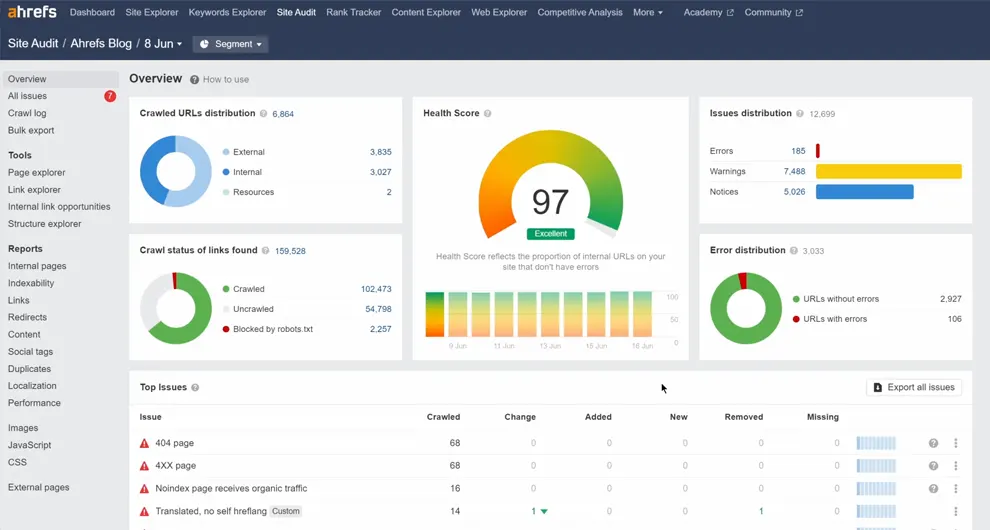
Ahrefs provides a robust, cloud-based auditing system that tracks your site’s health over time. It is excellent for monitoring rankings and backlink profiles. The downside for small teams or individual designers is the high monthly subscription cost and the lack of real-time, on-page visual feedback.
3.Google Search Console (The Essential Baseline)
Every SEO must use Google Search Console. It is the direct line of communication from Google regarding indexing issues. While it tells you that a page has an error, it doesn’t visually pinpoint the element for you, leaving the “manual labor” of detection to the developer.
4.SEO Quake (The Quick Meta Checker)
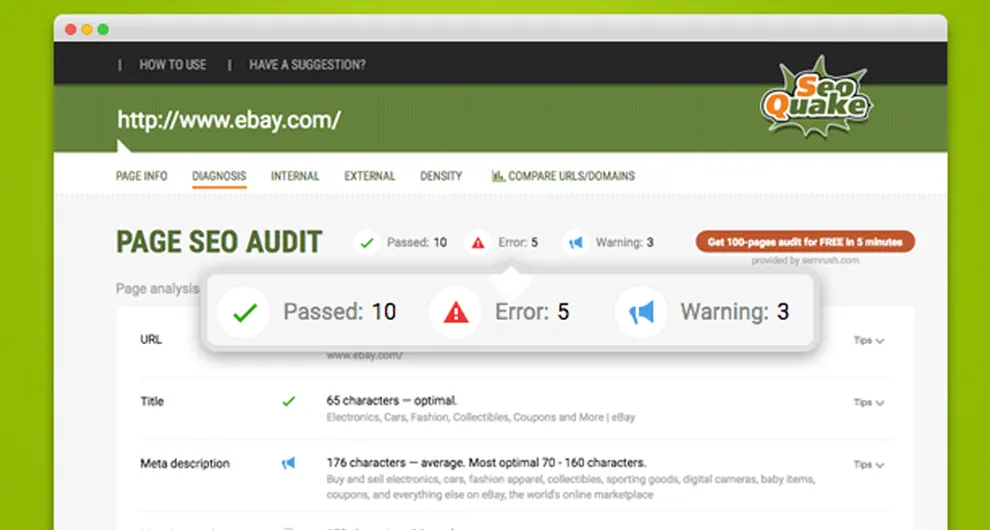
SEO Quake is a popular browser extension for a fast glance at meta tags and internal links. It provides a helpful sidebar of data but lacks the ability to interact with the live page or identify “hidden” errors tucked away in complex UI elements.
5.CHCZ · Design Checker (The Visual Game Changer)
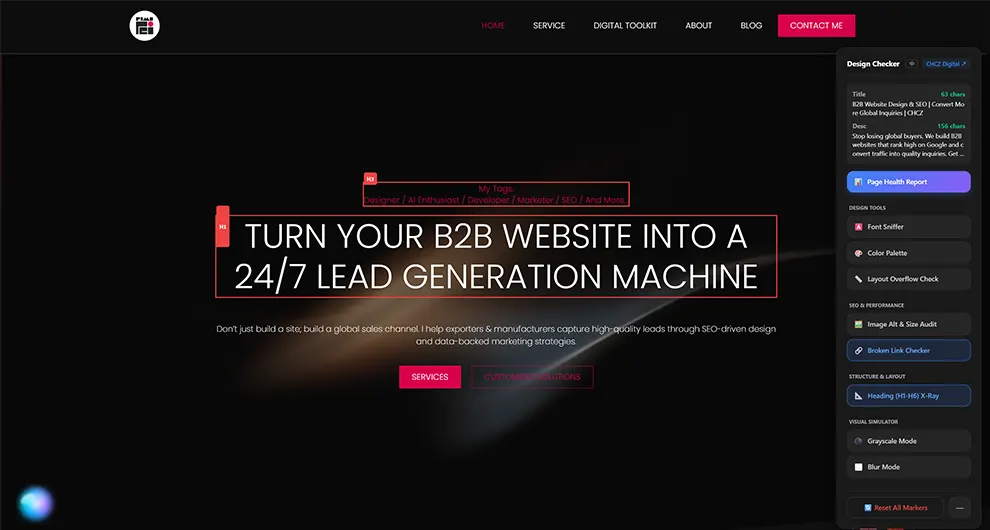
While traditional tools give you a list of problems, CHCZ · Design Checker shows you the exact location. Developed by a Project Operations Manager with over 9 years of industry experience, this free tool was built specifically to bridge the gap between technical data and visual design.
Why users are choosing CHCZ for 2026:
Visual Overlays: Instead of vague warnings, red boxes are drawn directly around problematic elements on your live screen.
Cruise Navigation: This killer feature allows you to click an error in the report and “cruise” (automatically scroll) to its exact location.
Audit Hidden Content: Unlike standard checkers, CHCZ automatically opens accordions, folded tabs, or sliders to reveal bugs hidden behind UI interactions.
Deep DOM Auditing: It audits the entire Document Object Model (DOM), allowing you to see your site from a “Googlebot perspective” and catch errors hidden by CSS.
Designer Toolkit: It includes a built-in Font Sniffer to verify typography and Color Extraction to ensure brand consistency.
Comparison: At a Glance
| Feature | Screaming Frog | Ahrefs | CHCZ · Design Checker |
|---|---|---|---|
| Primary Output | CSV / Technical List | Dashboard / Trends | Visual Overlay on Page |
| Error Location | Element ID / Code | URL only | Auto-Scroll (Cruise) |
| Hidden UI Audit | No | No | Yes (Auto-opens tabs) |
| Cost | Paid (Free limited) | Expensive Subscription | 100% Free |
| Design Tools | None | None | Font & Color Sniffers |
Conclusion: Which should you choose?
If you need to crawl 50,000 pages for a massive corporate site, Screaming Frog is your tool. If you want to track global keyword rankings, Ahrefs is the leader.
However, if you are a designer, store owner, or SEO specialist who wants to fix problems instantly without hunting through code, CHCZ · Design Checker is the most efficient choice. It fuses visual intuition with technical precision to help you work smarter, not harder.
Get Started Now
Ready to see your website through X-Ray vision?
Join professionals using the Free Visual SEO Audit tool to pinpoint errors, fix broken links, and audit the full DOM in seconds.
DOWNLOAD FOR FREE FROM CHROME WEB STOREFrequently Asked Questions
What is a Visual SEO Audit, and how does it differ from traditional reports?
Audit allows you to see the technical health of your website instantly through “X-Ray vision” rather than deciphering complex spreadsheets. While traditional tools provide a list of problems, a visual auditor shows you the exact location of the error on your live screen. This “What You See Is What You Get” (WYSIWYG) approach eliminates the need to hunt for element IDs or lines of code.
Can web designers benefit from using SEO audit tools?
Yes, especially tools that bridge the gap between technical data and design. For example, the built-in Font Sniffer allows designers to verify that the live site’s font family, size, and weight match their original design files. Additionally, automated Color Extraction and Visual Simulators (like Blur or Grayscale modes) help ensure brand consistency and UI accessibility.
Is CHCZ · Design Checker suitable for Shopify or WordPress store owners?
Absolutely. It is ideal for store owners who need to conduct a quick “health check” before launching big ad campaigns. By instantly highlighting missing Image Alt text and identifying broken links that could kill conversion rates, it provides a cost-effective way to maintain a professional store without needing deep technical expertise.
Do you recommend any other tools for digital marketing?
Absolutely. Over my 9+ years in the industry, I have tested hundreds of solutions. I have curated a specific list of the essential software I actually use daily—including my top picks for AI tools, website builders, and SEO software. You can browse my personal “weapon rack” here: Check out my Digital Toolkit.