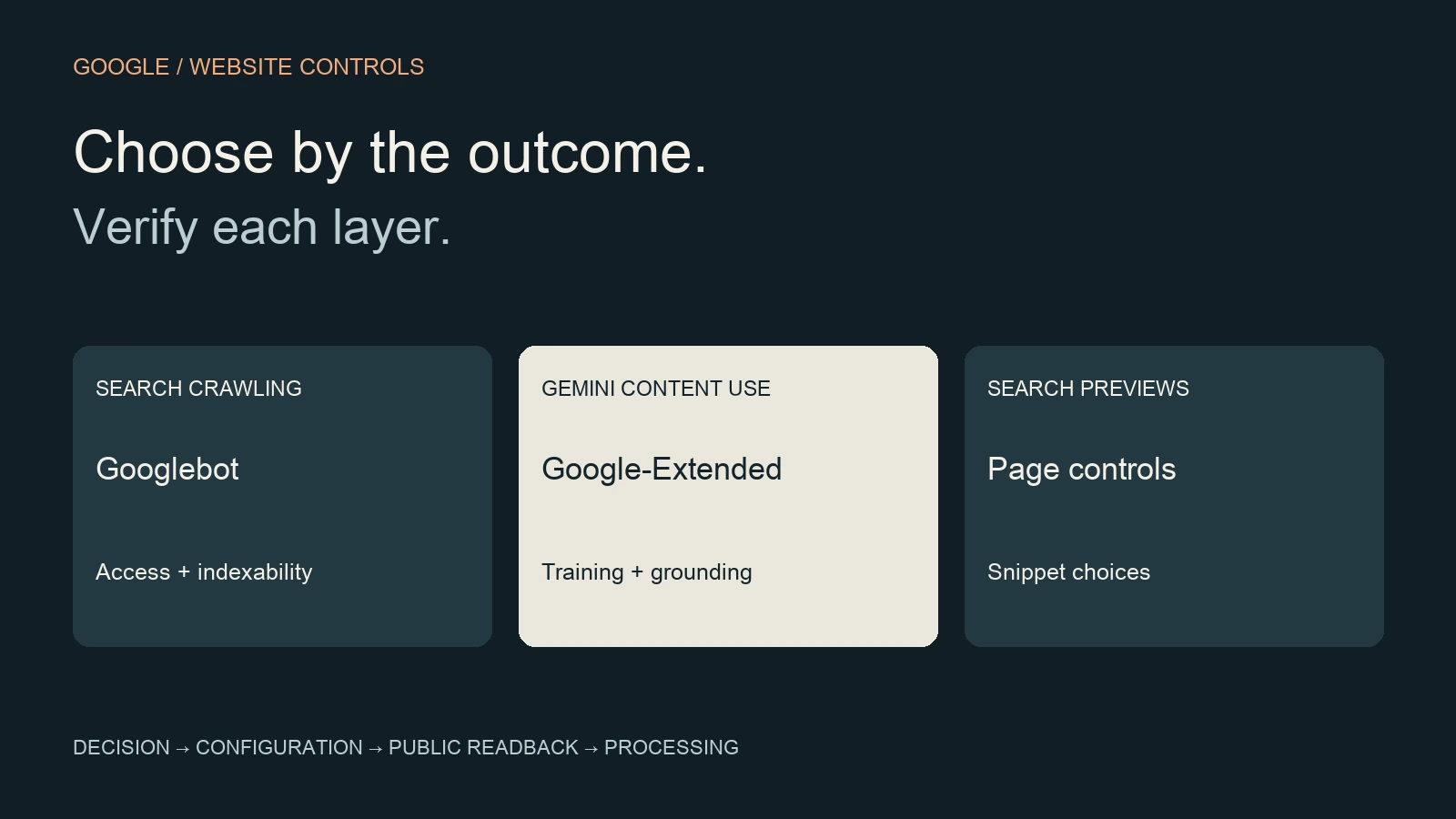
Googlebot controls crawling for Google Search. Google-Extended controls certain Gemini training and grounding uses of content Google crawls; it is a robots.txt product token, without a separate HTTP user-agent. Blocking Google-Extended does not opt a page out of Google Search, AI Overviews or AI Mode. Choose the control by the outcome you want.
For a B2B website team, the practical task is to separate public discovery, content reuse and information that should remain private. Use the decision table and release worksheet below to give a developer a precise request before changing a crawler rule.
Google-Extended vs Googlebot: the useful distinction
Start with Google’s common-crawler reference. Googlebot affects Search crawling; Google-Extended expresses a preference for the Gemini uses listed in that reference. Grounding means supplying information to a model while it prepares a response. It is a different activity from training a future model, although this token covers both specified uses.
Do not translate “AI bot” into a single sitewide setting. An instruction for one product does not establish your policy for every other system. A discussion about Gemini reuse should name that scope explicitly; a discussion about Search should identify the pages and search features affected.
The distinction also changes verification. Google documents Googlebot’s smartphone and desktop crawlers and their shared robots.txt token. A missing Google-Extended log entry cannot prove a rule failed, because there is no separate HTTP user-agent by that name. Ask for the configuration and the relevant processing evidence rather than a screenshot of an empty log filter.
Choose a control for one explicit goal
| Goal | Control to evaluate | Evidence to request |
|---|---|---|
| Keep public service pages eligible for Search | Googlebot access, indexability and snippet eligibility | Priority URLs, current directives and URL Inspection |
| Restrict the Gemini uses covered by Google-Extended | A scoped Google-Extended robots.txt rule | Approved use preference and full-file readback |
| Limit text presented from a public page | Search preview controls | Rendered HTML, response headers and later processing |
| Remove a page from Google results | A crawlable noindex rule | Googlebot can read it; later index-state check |
| Keep a private workspace confidential | Authentication and access permissions | Unauthenticated access is denied |
Google’s AI features guidance places AI Overviews and AI Mode within Search. A supporting page needs indexing and snippet eligibility; meeting those requirements does not assure selection. Google-Extended is therefore not a substitute for checking Search access. Decide whether the business wants discovery first, then specify any separate content-use preference.
For confidentiality, use an access boundary. Google’s robots.txt introduction explains that robots.txt manages crawling and is not a dependable way to hide a page from Search. A publicly reachable proposal or customer workspace needs a different decision from a public product specification.
Read a robots.txt example in context
Illustrative fragment: the following expresses a choice to disallow the uses covered by Google-Extended across the site. It does not replace the existing robots.txt file. Keep the rest of the site’s approved rules and Sitemap declarations when preparing a real change.
User-agent: Google-Extended
Disallow: /
Before adding it, read the entire file and identify the groups that apply to the URLs under review. Google’s robots.txt specification says specific user-agent groups and the wildcard group are not combined; repeated matching specific groups are combined. A new explicit Googlebot group can therefore change how earlier wildcard restrictions apply. Do not add a blanket Googlebot allow group merely to accompany this fragment.
For example, an existing wildcard group might restrict a low-value path. A later, more specific group deserves a fresh path test rather than an assumption that every earlier restriction still applies. Record both a public page that should remain crawlable and a restricted path whose intended behavior must remain intact. This is a review of the proposed full configuration, not a reason to copy a generic “allow all AI bots” file.
Treat Search previews as a separate decision
Search previews are controlled through page markup or HTTP headers. Google’s robots meta specification describes nosnippet, max-snippet and data-nosnippet. The first prevents text snippets and direct content input to AI Overviews and AI Mode; max-snippet limits text use, while data-nosnippet excludes selected text sections. These choices can affect ordinary search presentation too.
Treat a preview restriction as a publishing decision about specific content. List the passage, page template and intended public presentation before touching the implementation. Then inspect the actual HTML and response headers: a template-level rule and an SEO-plugin setting may coexist. The requested setting is not the delivered result.
If the objective is removal from Search, Google’s noindex guidance requires the crawler to access the page to discover that instruction. Blocking the same page in robots.txt can prevent that discovery. For a downloadable file, check its response headers as well as the HTML page linking to it. Keep access protection, index removal and preview restriction as separate acceptance tests.
Map B2B content before making a sitewide rule
Use a content inventory before choosing a sitewide policy. A public service page, an openly distributed specification sheet and an authenticated account area have different jobs. Group URLs by their intended audience and visibility, rather than by whether they contain words that sound commercially sensitive.
Hypothetical B2B example: a supplier wants public equipment pages to help buyers assess fit, offers a public specification PDF, and keeps tailored proposals in an authenticated workspace. The team records the discovery goal for the public pages, a separate Gemini-use choice, the PDF’s delivered headers, and the workspace access test. None of those entries establishes the behavior of another.
Assign a business owner to the visibility choice and a technical owner to implementation. If the team cannot agree which content should be public, pause the configuration change and resolve the content decision. The B2B website governance framework covers those standing responsibilities; this worksheet covers one crawler-control change.
Use a crawler-control release worksheet
| Record | What to write before release | What to retain afterward |
|---|---|---|
| Decision | Desired product use, audience and approved scope | Owner, approval and final scope |
| URLs | Public HTML, PDF and restricted examples | Exact ordinary URLs tested |
| Baseline | Full robots.txt, page directives and headers | Dated copies and current index evidence |
| Change | Full proposed file or template diff | Deployed version and rollback copy |
| Acceptance | Expected result for each tested path | Public readback and independent review |
| Follow-up | Which crawl/index evidence will close the check | Observation date and unresolved limits |
Make the acceptance sentence concrete: “The public service URL remains accessible to Googlebot, the requested product-use preference is present, and the private workspace still requires authentication.” Replace those example conditions with the site’s actual decision. A request saying only “fix our AI visibility” gives the implementer no observable finish line.
Keep a rollback copy before release and limit the change to the agreed control. If an unrelated page suddenly becomes blocked, compare it with the baseline before making additional policy edits. Use the B2B SEO audit evidence record when the root cause is uncertain or the issue crosses templates, canonical signals and page delivery.
Verify delivery, processing and outcomes separately
- Delivery: read the ordinary public robots.txt URL and the tested page/file responses after any relevant cache handling. Compare the full result with the approved version.
- Processing: inspect the URL’s current crawl and index evidence. A live fetch, an accepted request and a later processed index record answer different questions.
- Outcome: observe search exposure, any independently verified AI appearance, visits and qualified actions as separate measures. A valid rule is not evidence that a buyer found the page.
For each observation, keep the URL, date, evidence source and what remains unknown. A result from before the release cannot validate the new configuration. Equally, an unchanged ranking immediately after release does not prove the control was ignored. Route later checks through the B2B SEO monitoring system rather than repeatedly editing a rule whose public output is already correct.
Return to the evidence-led GEO guide for the broader discovery-to-outcome model. This Google-Extended vs Googlebot decision should finish with a clear content-use choice and a reproducible technical record, before anyone interprets it as a visibility result.
Frequently asked questions
Does blocking Google-Extended block AI Overviews?
No. Google separates the Gemini uses covered by Google-Extended from Search. AI Overviews and AI Mode use Search controls. Review the intended Search exposure and preview settings independently before changing a rule.
Should every B2B site block Google-Extended?
There is no universal editorial recommendation. Decide whether the uses covered by the token fit the owner’s publishing choice. Record who approved that choice, which content it applies to, and how Search eligibility will be checked separately.
Can robots.txt protect a private proposal?
Use authentication and appropriate permissions for private material. A crawl preference is not an access-control boundary, and disallowing a URL does not reliably keep the URL out of Search. Test access as an unauthenticated visitor.
Why is Google-Extended absent from server logs?
It has no separate HTTP user-agent. Google uses existing crawler user agents to fetch content and the product token as a control. Verify the requested robots.txt rule and its scope; an empty name-based log search cannot establish compliance or failure.
Sources and next steps
Sources checked on 20 October 2026: Google common crawlers; AI features and your website; robots meta and HTTP-header rules; robots.txt introduction; noindex; robots.txt specification; Googlebot.
Use the SEO / GEO Authority cluster to connect technical access decisions with evidence-led content. If the team cannot tell whether a discovery problem comes from robots rules, indexing or page delivery, request a website diagnostic and include the affected public URLs and the decision worksheet.